
Overview
The grid preview in the Social Planner shows how your Instagram profile will look with your upcoming posts in place. If your live profile doesn't match what you're seeing in Planoly, you can refresh it manually.
How to Refresh Your Grid
- Go to the Calendar view.
- On the left panel, make sure you're on the Grid tab.
- Scroll to the bottom of the grid preview.
- Click the refresh icon (circular arrow).
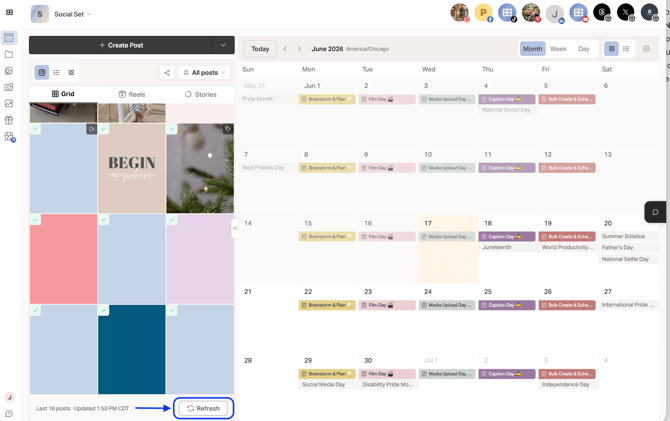
Planoly will sync with your live Instagram profile and update the grid to reflect your current published posts.
When to Refresh
Refresh your grid when:
- You've posted directly to Instagram (outside of Planoly) and want the grid to reflect it
- The grid looks out of sync with your actual profile
- You've deleted or archived posts on Instagram
- You've reordered posts on Instagram