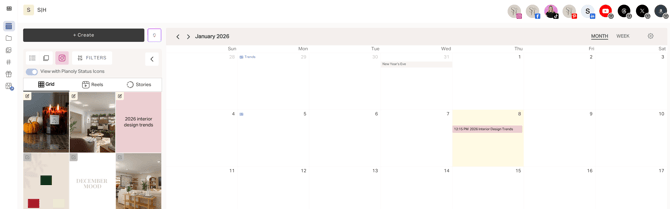
Hit play to see how the Idea Generator helps you spark ideas and plan content faster.
Why would I use the Idea Generator?
With the Idea Generator, you can instantly create content ideas tailored to what you do, who your audience is, and the key elements of your brand. Instead of starting from scratch, you’ll get relevant, on-brand ideas you can quickly customize and use across multiple channels. It’s built to save time, spark inspiration when you’re stuck, and simplify your planning process so you can focus on creating, not brainstorming.
How to use the Idea Generator
-
Navigate to your planning calendar in the Multi-channel Workspace.
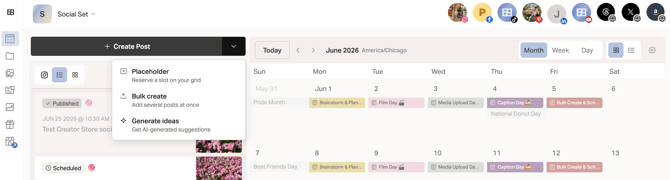
- Tap on the dropdown arrow
- Click on the light bulb icon to begin drafting an idea
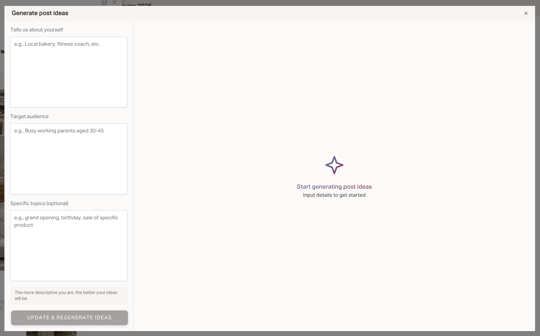
- You'll have a pop up that you can add in details about you and your brand
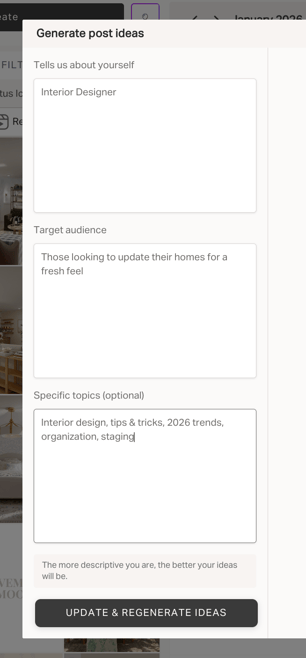
- Add in the relevant info and press Update & Generate Ideas
- You will now see 3 columns offering suggestions for content ideas and the ability to add the idea to your grid as a placeholder or create the post. You can also regenerate more ideasor edit the prompts if needed.
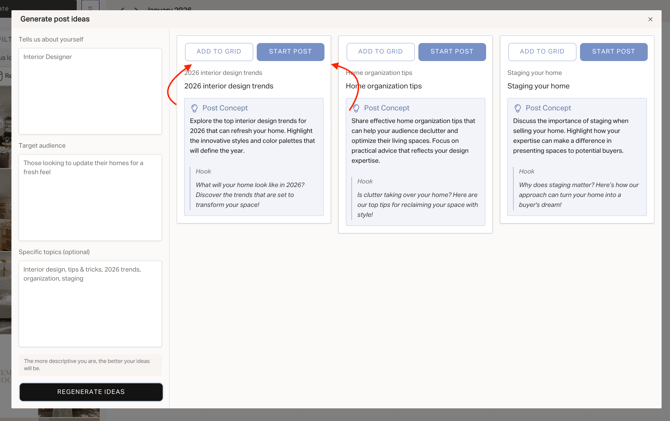
- If you select the Add to Grid option, you will see the Placeholder on your grid for future use. Or if you select Start Post, your idea will be added into the post creation experience to begin editing the post, adding media and saving as a draft or scheduling for Reminder or Auto-post